
See what work really means for benefits, month by month.
Compass gives every person on your caseload a plain-language answer to the question that keeps so many from working: will I come out ahead? It models how earnings and benefits interact month by month, configured to your state, and gives counselors real numbers to start every career conversation.
Built with benefits counselors at MassAbility.
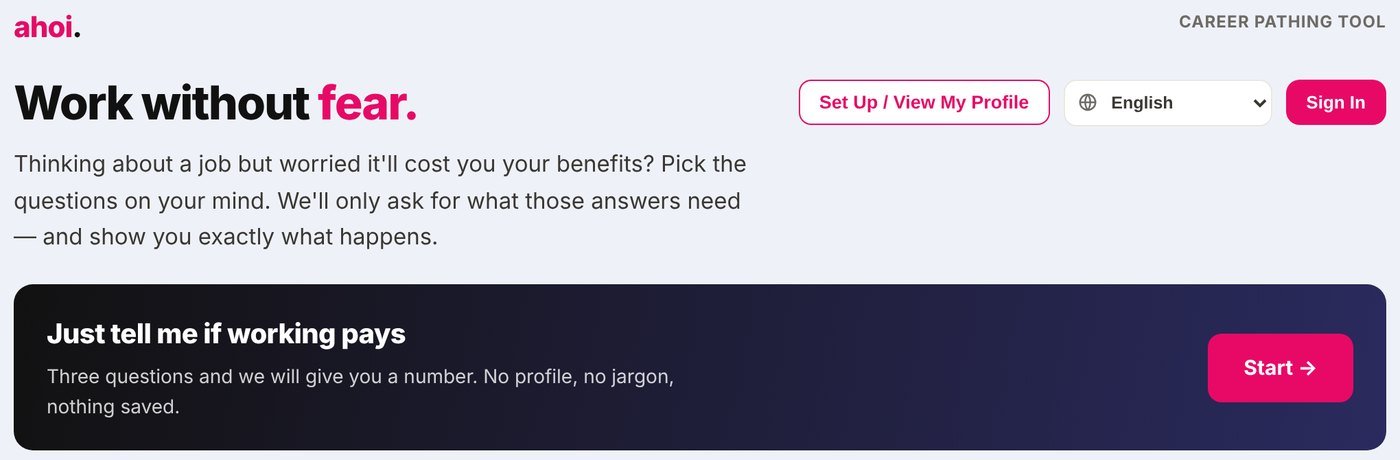
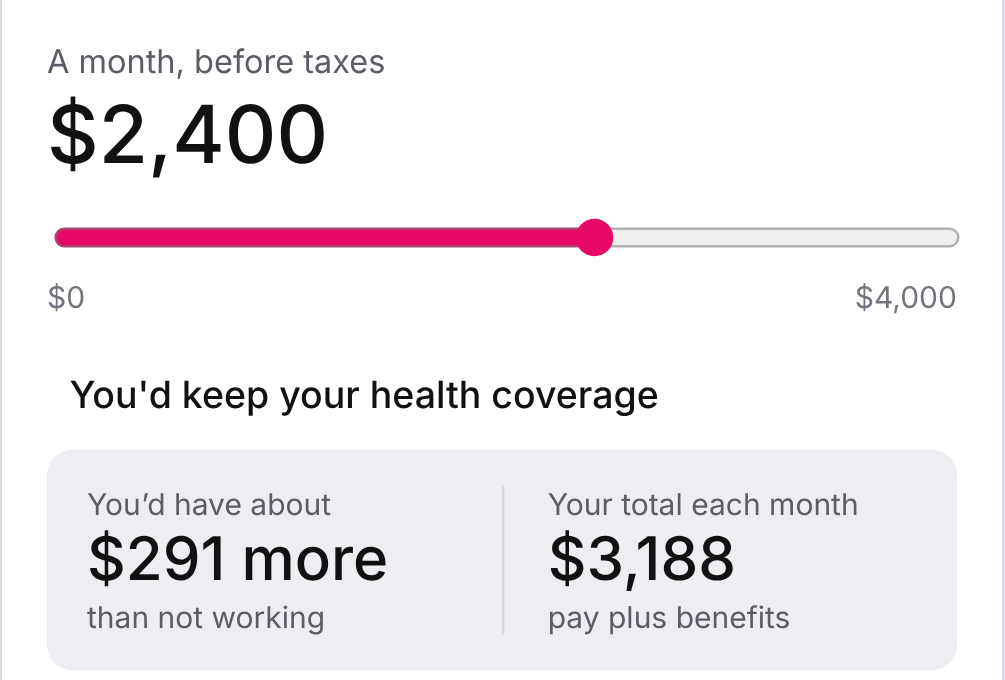
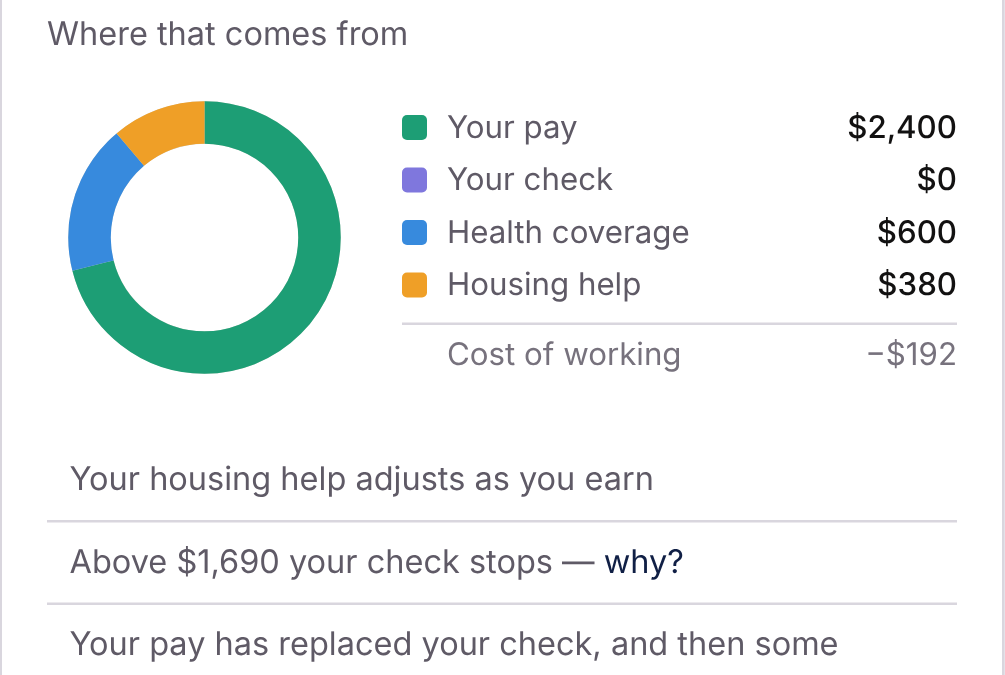
Simplified view in development. Figures are illustrative.
Fear of losing benefits keeps people from working
For people on SSDI and SSI, a job offer raises hard questions. Will my check stop? Will I keep my health coverage? The answer depends on how several programs interact, month by month. Few people can work it out alone, and the counselors who can are in short supply.
people under 65 receive SSDI, SSI, or both.
Social Security Administration, July 2026
of SSDI beneficiaries consider work a personal goal or near-term expectation.
Livermore, Shenk & Sevak (2020), cited in the Social Security Bulletin
named by GAO: losing cash and medical benefits, overpayments, and complex work rules.
U.S. Government Accountability Office, GAO-24-107614
One paycheck changes every program at once. Compass works out how, month by month.
One answer, three views
Plain answers, month by month
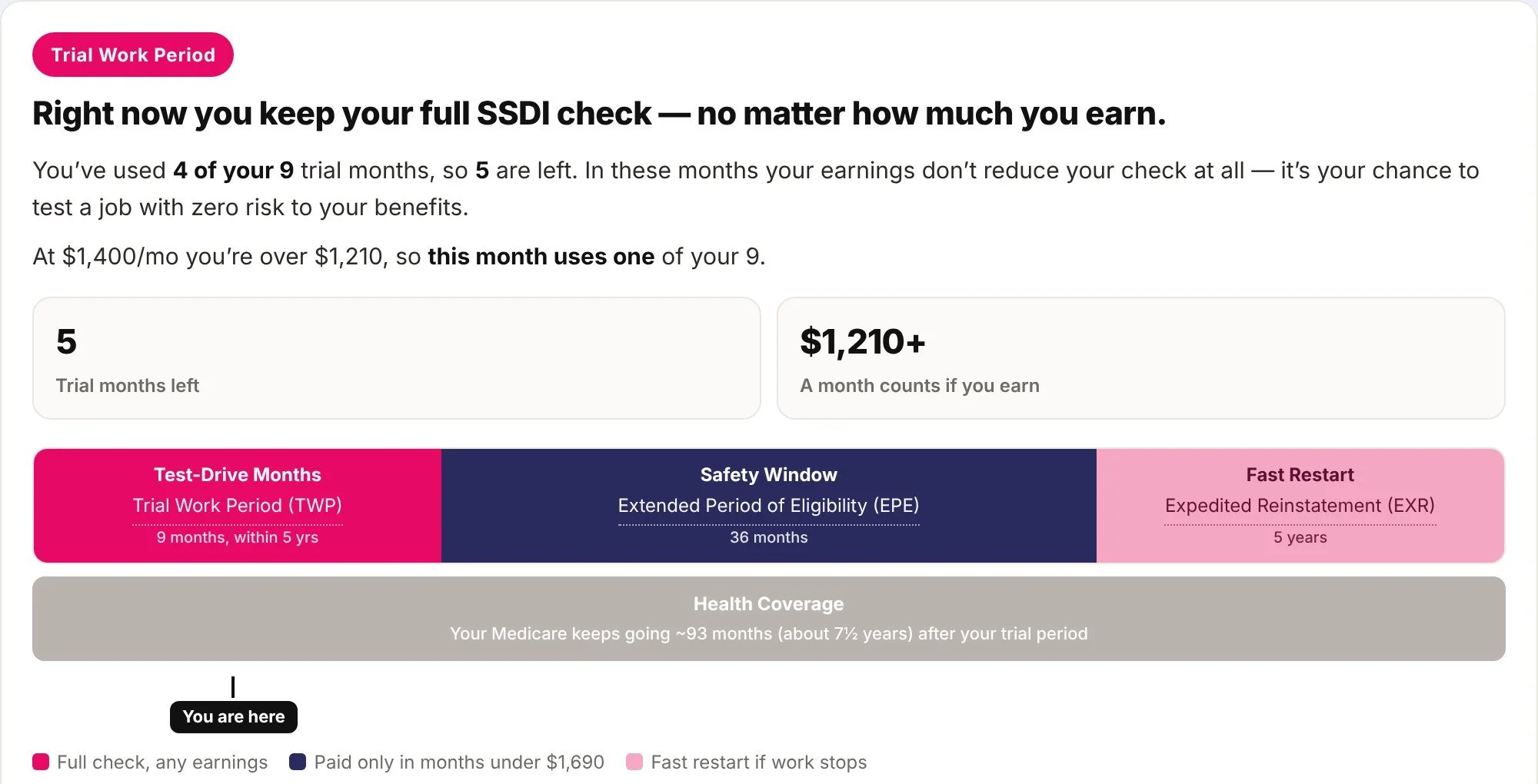
People pick the question on their mind. Compass shows what they would have each month, what they keep, and where the money comes from.
A caseload that shows where to look
See who needs attention now, open anyone to work in their numbers, and share a one-click handoff summary.
Configured for your state
Compass applies your state's rules and points people to your VR agency and local benefits counseling.
From a worried question to a plan
Start with the question on their mind
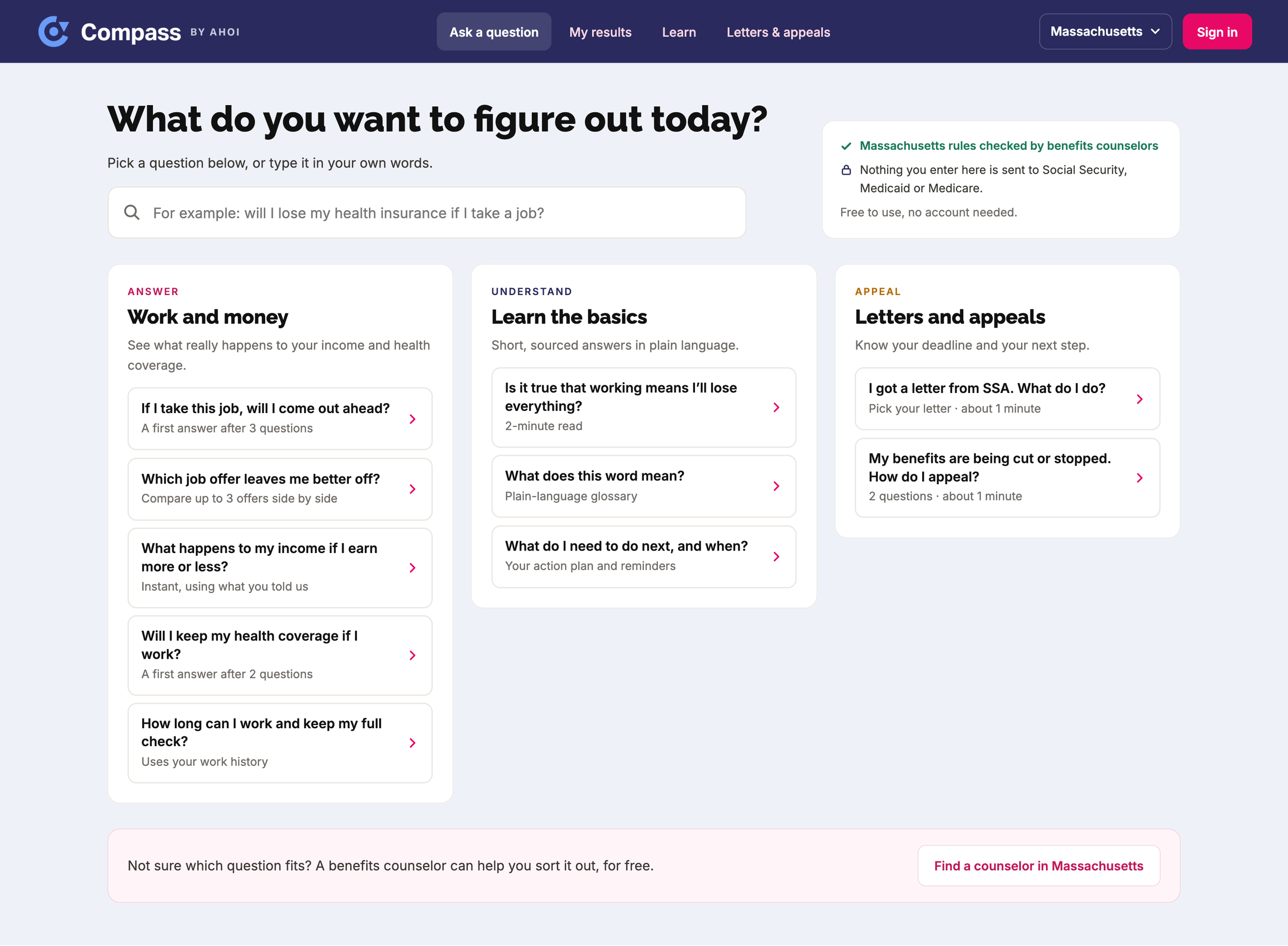
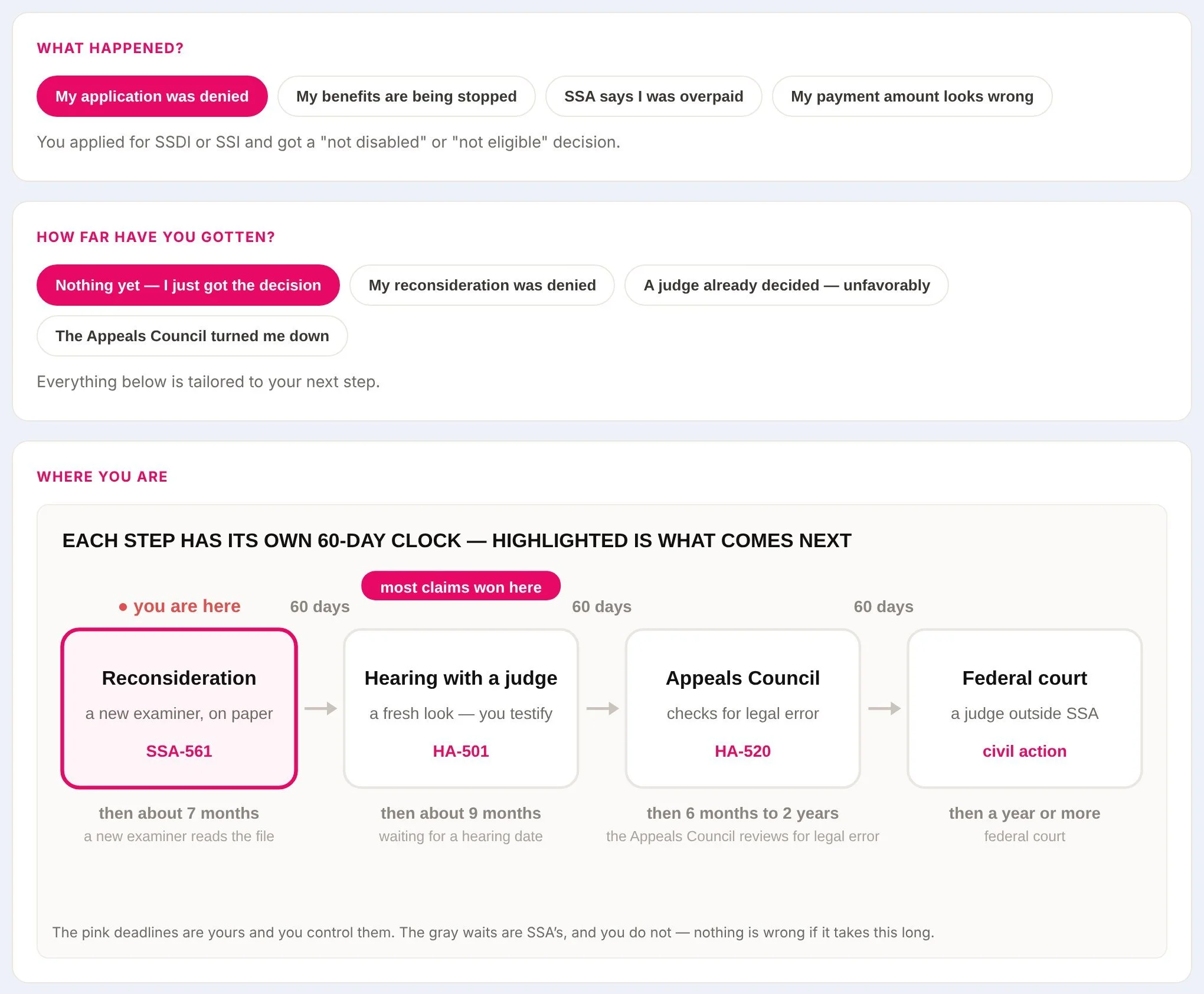
Will I come out ahead if I take this job? Will I keep my health coverage? I got a letter from Social Security. What do I do? People pick their question, and Compass asks only what it needs to answer it.
See the month-by-month picture
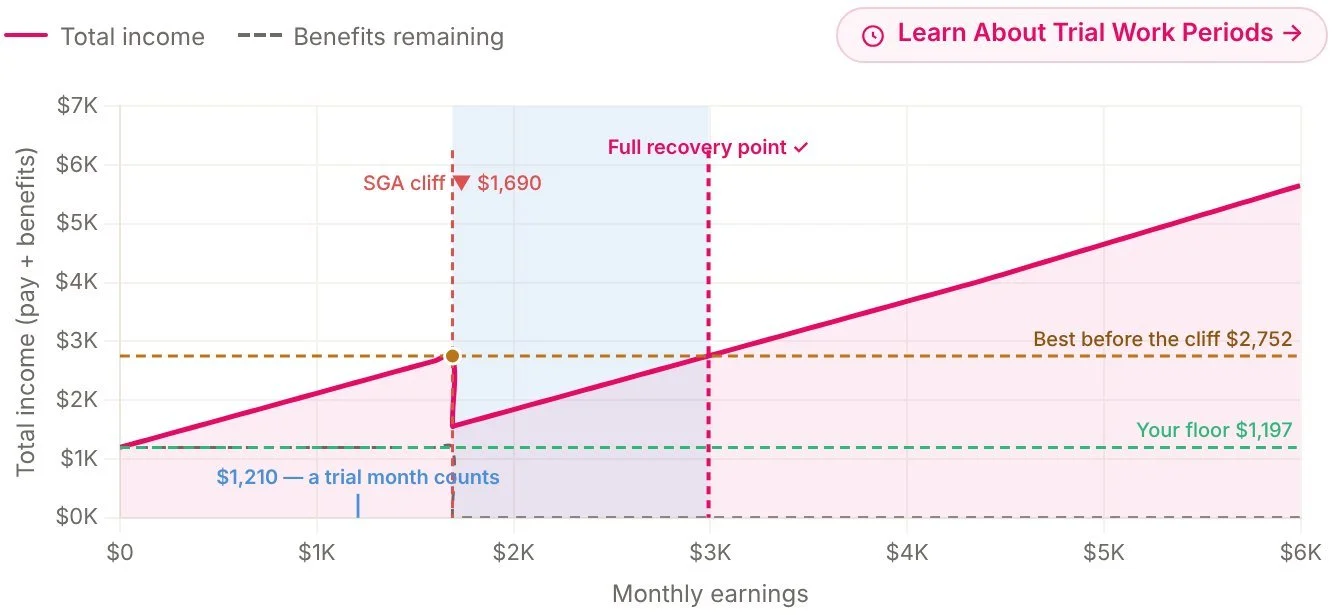
One chart shows total monthly income at every earnings level, with the points where benefits change clearly marked.
Get a plain-language action plan
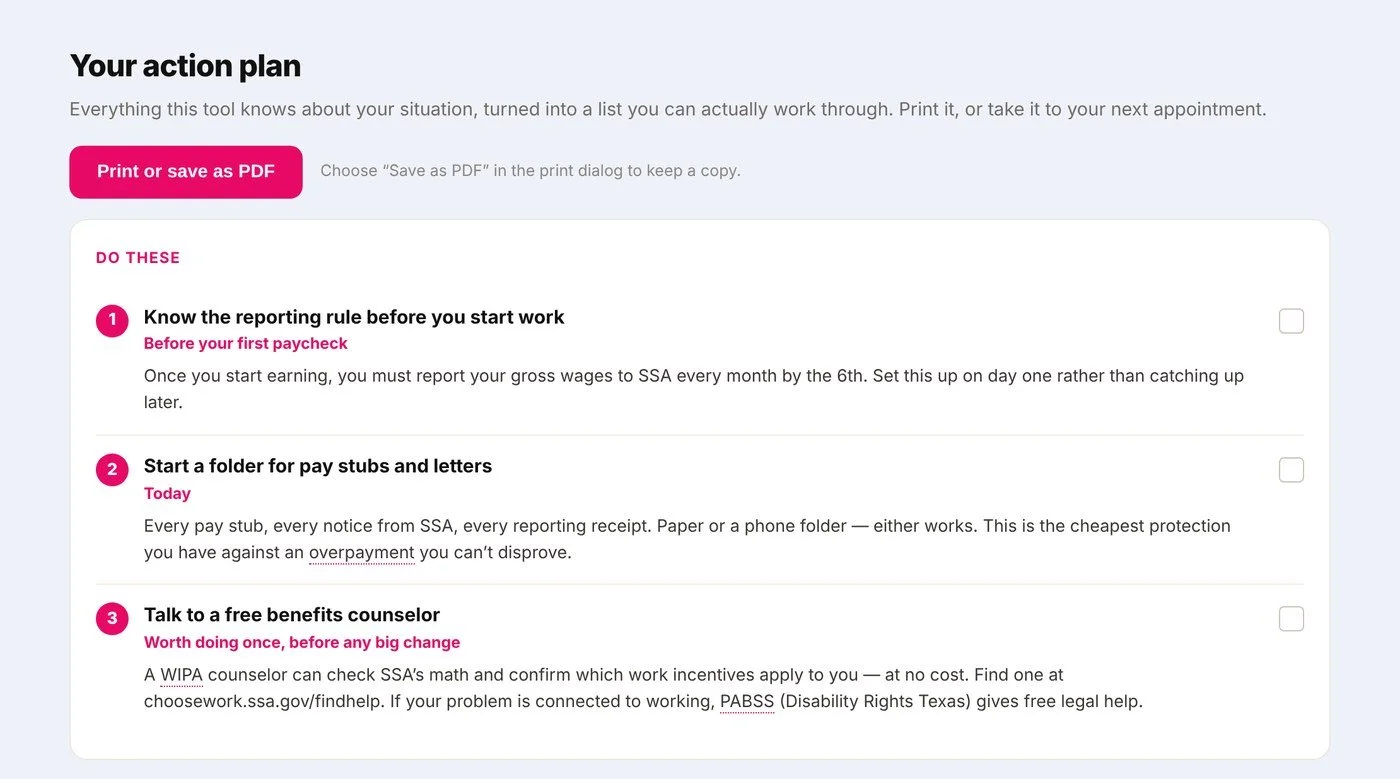
What to report, what protects them, and who to call, written as steps a person can follow.
Hand off to a counselor
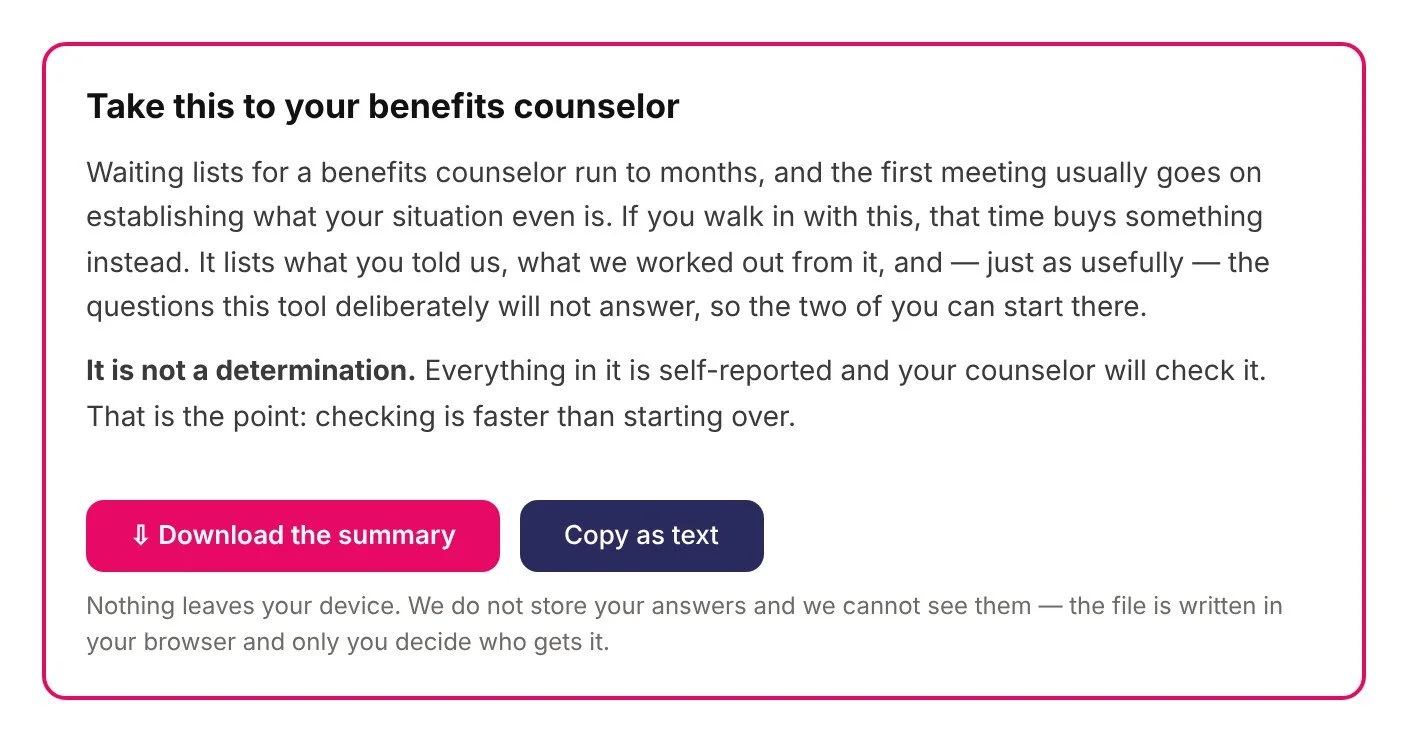
A one-click summary lists what the person entered and what Compass worked out, so the first meeting starts from real numbers.
Also inside Compass
Why VR agencies choose Compass
Career conversations that start from real numbers
Counselors spend less time reconstructing a person's benefits and more time on the job plan. Every result shows the rules and figures behind it.
Consistent answers across your caseload
Every counselor works from the same rules, applied the same way, and updated as program figures change each year.
Reaches people who have ruled out work
Many people never ask about work because they assume it will cost them their benefits. Compass gives them a private, plain-language answer first.
Accessibility built in
Built accessibility-first. Screen-reader support and WCAG AA are core design requirements.
Set up the way your agency works
Compass is designed so features can be turned on or off for your agency, from individual tools to counselor caseload views.
Developed with benefits counselors at MassAbility
Compass was developed with benefits counselors at MassAbility, Massachusetts's vocational rehabilitation agency. The idea came from Ahoi's paid internship program with MassAbility, where participants kept asking the same question before taking a job: will working cost me my benefits? Ahoi is a Techstars company co-founded by people with lived experience of disability.
Learn more about Ahoi's paid internship program →Questions agencies ask
Which states does Compass cover?
Every state and Washington, DC. Compass already includes the federal rules plus each state's own programs, such as Medicaid buy-in rules, state supplements, and your VR and benefits counseling contacts. Before launch, we review your state's figures with your team so your counselors can start using it right away.
Does Compass replace benefits counseling?
No. Compass gives people an informed starting point and gives counselors a head start. Benefits counselors still confirm the details and advise on decisions.
Is Compass accessible?
Compass is built accessibility-first. Screen-reader and keyboard support and WCAG AA are core design requirements for every screen.
How is personal information protected?
Security, data storage, and who can see a person's information are set out in each agency agreement. We will walk your team through them on a call.
Can Compass work with our case management system?
Compass is being built to export a person's information in a format ready to enter into your case management system, with direct integrations to follow.
What does it cost?
Pricing depends on your agency's size and the features you choose. Book a call and we will walk through options.
Bring Compass to your state
- Step 1Intro call30 minutes to understand your agency and goals.
- Step 2State setupWe review your state's figures and contacts with your team.
- Step 3PilotCounselors use it on real cases. We verify results and track adoption.
- Step 4RolloutExpand across your agency on a schedule that fits.
Tell us about your agency
Share a few details and the Ahoi team will reply within two business days to set up a demo with your state's numbers.